


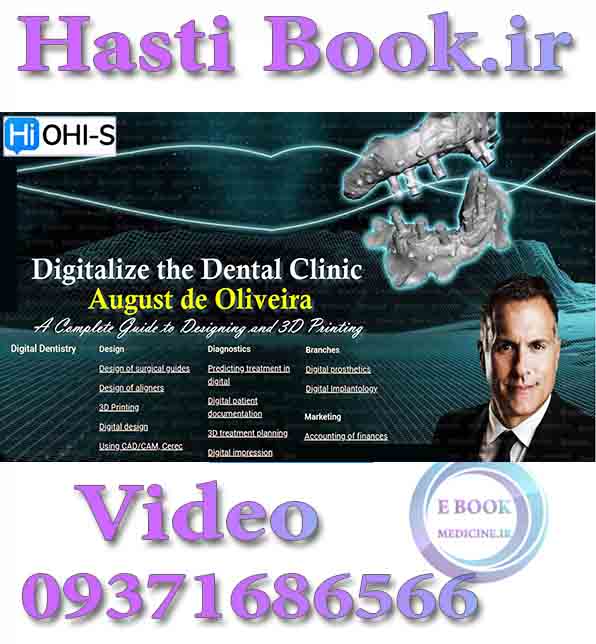
فیلم OHI-S Digitalize the Dental Clinic - August de Oliviera video
شماره تماس ، واتس آپ و تلگرام 📞 09371686566📞
To buy in dollars, if you have PayPal, send a message to our Telegram
+989371686566
شماره تماس ، واتس آپ و تلگرام 📞 09371686566📞
🌸🌸🌸 🌸🌸🌸 🌸🌸🌸 🌸🌸🌸 🌸🌸🌸🌸
Details
18 lessons (10h 32min)
English
Description
Everything you need to know about 3D printing in the dental office with Dr. August de Oliveira — A leading digital dentistry specialist in the USA!
Awaits you a step-by-step video demonstrations of design and 3D printing using Blue Sky Plan® and Rayware software.
Within the course you will learn how to:
– Perform virtual smile design
– Work with FDM, SLA, LCD, DLP, CDLM, and SLS 3D printers
– Operate the most popular intraoral scanners
– Upload STL and DICOM files
– manufacture:
- In-office dental implant surgical guide
- implant supported digital hybrid dentures (ALL-on-4®)
- locator retained overdenture
- bar retained overdentures
- monolithic digital removable dentures
- aligners In-office
- digital nightguards and essix retainers.
With the right equipment and this virtual training by Dr. Oliveira, you will transform your dental clinic to a fully functioning digital practice!
Lesson 1.Free example. Introduction to 3D printing in dentistry
– Historical overview of 3D dentistry
– 3D printers in modern digital dentistry and digital dental laboratory
– Application of 3D printers in daily dental practice: what can we print with 3D printers?
- A review of scanners on the market and cost analysis
– STL files and their application in 3D printing
– Axis milling vs 3D printing
– 3D printer set-up: from PC specs and requirements, to materials and their application
– The basic 3D printing process
– Anatomy of 3D printers
– Comparing 3D printers that are available in the market (laser printers, DLP, LCD, CLIP/CDLM, and powder based printers).
Recommended for: Prosthodontists, Implantologists, Dental technicians, General dentists.
Lesson 2.Fused Deposition Modeling Printers: Prusa and Arfona
– How do fused deposition modeling printers (FDM) work?
– The significance of FDM printers
– FDA and ISO approved materials and "Non Dental" FDM
– Printing Valplast using Arfona printer
– Clinical case: printing a Valplast partial denture using Arfona 3D printer.
Recommended for: Prosthodontists, Implantologists, Dental technicians, General dentists.
Lesson 3.Laser SLA Printing and the Form3B. Application and Set-up of Preform Software
– The full process of SLA laser printing
– The features of Form3B printer by FormLabs
– Dental resins that are available for the Form3B printer
– Accessories and products that you need for a complete 3D printing experience
– Clinical cases and application of SLA laser printer: fabrication of Essix retainers
– Using the Preform software for Form3B printers: step-by-step guide of the set-up
– Step-by-step demonstration of how to load and orient models in the preform software.
Recommended for: Prosthodontists, Implantologists, Dental technicians, General dentists.
Lesson 4.DLP Printers: The Sprintray Pro and the Asiga Max
– The full process of DLP printing
– Understanding precision and resolution
– Workflow experience of DLP printing
– Full description of the Asiga Max and the Sprintray Pro printers
– Clinical case with the Sprinray Pro printer: printing of a dental implant surgical guide
– Clinical case with the Asiga Max printer: printing of temporary implant supported digital hybrids (ALL-ON-4®)
– Using the Rayware software for Sprintray Pro or Moonray Printer
– From Intra Oral Scanner to printed model: demonstration of new model editing features to add and trim a base.
Recommended for: Prosthodontists, Implantologists, Dental technicians, General dentists.
Lesson 5.LCD Printers like the Anycubic Photon or the Phrozen
– The required build plate size
– How to make a duplicate a nightguard using anycubic photon
– Horizontal or vertical printing, which method is better?
Recommended for: Prosthodontists, Implantologists, Dental technicians, General dentists.
Lesson 6.CDLM or CLIP Printers, and SLS: Envision One by EnvisionTEC, Carbon, and Fuse Printers
– How does the Continuous Digital Light Manufacturing (CDLM) or the Continuous Liquid Interface Production (CLIP) printer operate?
– Full overview of the carbon and envision one printers
– Clinical cases with envision one and carbon printers
– Workflow of manufacturing and printing of implant supported digital hybrids (ALL-ON-4®)
– EnvisionTEC CDLM technology
– Multi color 3D printed hybrid dentures
– Powder based SLS printers
– Step-by-step demonstration of preparing and printing an implant supported digital hybrid (ALL-ON-4®).
Recommended for: Prosthodontists, Implantologists, Dental technicians, General dentists.
Lesson 7.IntraOral Scanners (IOS): CEREC Omnicam, Primescan, TRIOS, Itero, and Medit
– Application of IntraOral scanner in modern digital dentistry
– Same-day dentistry
– Comparing of IntraOral Scanners based on trueness and precision
– Conventional vs digital workflow: advantages
– Intraoral scanners vs lab scanners
– Application of Face Scanners in dentistry
– Photogrammetry scanners
– Isolation and heme control when intraoral scanning
– Intraoral scanning technique
– Clinical case: step-by-step demonstration of emax crown from intraoral scanning on Medit to preparing the STL file on EXOCAD for 3D printing
– Step-by-step demonstration scanning a case for an implant screw-retained restoration using Medit.
Recommended for: Prosthodontists, Implantologists, Dental technicians, General dentists.
Lesson 8.Guided Implantology: theory and clinical cases. Part 1
– Rationale of guided implant surgery. Why is guided dentistry a mandate for implant placement?
– Advantages and disadvantages of guided surgery
– The digital implantology workflow
– Oral examination: diagnosis and treatment planning for guided implant surgery
– The difference between 2D and 3D for treatment planning
– Analysis of CBCT scans
– Radiation dose of CBCT scans
– Patient position in CBCT scans
– Exporting Digital Imaging and Communications in Medicine files (DICOM) from CBCT software to 3rd party processing
– Exporting STL files from IntraOral Scanner softwares
– Head and neck anatomy for guided implantology. What are we looking for?
Recommended for: Prosthodontists, Implantologists, Dental technicians, General dentists.
Lesson 9.Guided Implantology: theory and clinical cases. Part 2
– Analysis of bone density: D1, D2, D3, and D4
– Implant setting and digital insertion
– Types of guides:
- printed and lab made guides
- edentoulsy guides
- stackable guides
- pilot guides.
– Utilizing pink porcelain and how to use it for final implant aesthetic restorations.
Recommended for: Prosthodontists, Implantologists, Dental technicians, General dentists.
Lesson 10.Guided Implantology. Step-by-step Designing of surgical implant guides on Blue Sky Plan Wizard Software
– Designing a simple lower posterior surgical guide with the BSP wizard:
- select and upload the DICOM files
- detect the right and left mental foramen and the lower alveolar mandibular nerve
- import STL models
- model alignment. Emerging CBCT with STL files
- scaling of the crown size
- adjusting the implant position
- drawing and fabricating the implant guide.
– Preparation for anterior Immediate implant placement guide in BSP:
- tooth erasing from the model of intraoral scan
- filling in the erased space in the model.
– Anterior Immediate Guide in BSP: Planning the Guide:
- select and upload the DICOM file
- matching the STL file with CBCT scan
- Tooth library and the tooth crown form selection
- Implant feature selection: orientation, implant system (BioHorizons), and size
- implant and crown positioning in the model
- draw the guide curve
- create and verify the surgical guide
- save the surgical guide report by BSP and evaluate the information.
– Anterior Immediate Guide in BSP: step-by-step demonstration of printing the Guide using SprintRay Pro
– Step-by-step video demonstration of designing a 3-unit implant guide in the advanced module on Blue Sky Plan
– The outer diameter of guide tube, the guide height, and the Sleeve Offset technique
– Printing the implant guide.
Recommended for: Prosthodontists, Implantologists, Dental technicians, General dentists.
Lesson 11.Digital Implant Workflow. Part 1
– Digital implant sequence:
- implant scan, the emergence profile, and bite
- design and mill in-house or in laboratory
- the option of printing an analog model.
– What are scan bodies and Ti bases
– The limitations of Ti bases
– Implant direct smart base (SMARTbase™)
– Digital designers and milling centers
– The popular scan body systems:
- Elos Accurate® Scan Body
- 3Shape scan bodies.
– Abutment design in CEREC
– The screwmentable implant restoration
– Clinical case of milling a crown for an implant In-Office
– DESS® prosthetic abutments for dental implants: components
– CAD/CAM implant materials:
- temporary materials: Telio CAD and VITA CAD-Temp®
- hybrid composite: VITA ENAMIC®
- Zirconia blocks: KATANA Zirconia
- Lithium Disilicate: Celtra® Press.
– Step-by-step demonstration of Designing screw retained crowns and implant abutments in CEREC:
- scanning of the abutments: gingival mask, buccal bite, scan body;
- material selection and restoration type (screw retained or abutment and a crown).
– The emergence profile and the benefit of custom implants
– The screwmentable restorations
– A walk through a complete digital case.
Recommended for: Prosthodontists, Implantologists, Dental technicians, General dentists.
Lesson 12.Digital Implant Workflow. Part 2
– Adding a Base to a Model in Blue Sky Plan
– Dual Buccal Bites in Blue Sky Plan
– Step-by-step demonstration of designing and printing a temporary crown using Blue Sky Plan and Rayware printing software:
- defining the margin line
- digital evluation of the path of insertion
- identifying the proximal contacts
- dental library and tooth shape selection
- adjusting the contact area by adding or reducing materials
- occlusion evaluation
- printing of the crown on Rayware using a SpringRay Pro printer.
– Step-by-step demonstration of designing a temporary crown on a Ti Base using Blue Sky Plan software:
- uploading of STL models of the upper and lower jaw
- selection of the scan body
- teeth geometery: tooth shape selection and abutment type selection
- crown postioning and path of insertion
- crown occlusal evaluation.
– Step-by-step demonstration of designingand printing a temporary bridge using Blue Sky Plan and Rayware software:
- teeth selection for the bridge
- teeth scalling: boolean addition and subtraction
- occlusal evaluation
- path of insertion
- printing of the one unite bridge using a SpringRay Pro printer.
– 3D printed implant analog models using the Asiga Max printer: video demonstration on how to assemble an implant analog model.
Recommended for: Prosthodontists, Implantologists, Dental technicians, General dentists.
Lesson 13.Digital Model of Implant-supported Hybrid Prosthesis (ALL-ON-4®). Part 1
– What do you need to think about before the start of a hybrid prosthesis restoration?
– Photogrammetry
– How to align the bite scan with the scan body scan?
– the placement of composite fiducial markers such as "liquid dam" for intraoral scanning
– Intraoral scanners, laboratory scanners, and photogramettry
– Multiunit abutments vs implant level
– Angulation correction and tissue height
– Face scan bite
– Ziroconia Hyrbrid implant restoration in two appointments, is it possible?
– Ziroconia Hybrid implant restoration: clinical case
– Advantages and disadvanatges of various types of digital hybrids:
- PMMA or 3D printed hybrid "temporaries"
- Solid zirconia
- metal frame
- component hybrids.
Recommended for: Prosthodontists, Implantologists, Dental technicians, General dentists.
Lesson 14.Digital Model of Implant-supported Hybrid Prosthesis (ALL-ON-4®). Part 2
– Clinical cases: a step-by-step treatment with a locator retained overdenture:
- Clinical cases: a step-by-step treatment with a Bar retained overdenture
- Advantages of metal bar and PMMA implant-supported hybrid prosthesis
- Repair of implant-supported hybrid prosthesis
- Duplicating and printing the hypride denture.
Recommended for: Prosthodontists, Implantologists, Dental technicians, General dentists.
Lesson 15.Digital Removable Dentures using BSP
– Intraoral edentulous scans: is it possible to scan dentures directly in the mouth of a patient?
– The process of making a digital denture: printed or milled
– Step-by-step demonstration of a full arch scan patterns for edentulous
– Monolithic digital denture
– Step-by-step demonstration of designing and printing a Digital Denture in Blue Sky Plan
– Designing and operating with meshmixer
– Combining Denture Teeth into a chain for printing
– Printing the denture base in Rayware
– Combining denture teeth and denture base into a monolithic denture. Exporting a Monolithic Denture from Blue Sky Plan
– Printing the Monolithic Denture in Rayware
– Assembling two piece monolithic denture:
- painting a monolithic denture with flowable composite
- the final product: an assembled two piece monolithic denture.
Recommended for: Prosthodontists, Implantologists, Dental technicians, General dentists.
Lesson 16.Digital Orthodontics: Aligners and Indirect Fixation Transfer Tray
– The available options with aligners: Invisalign®, eXceed, and archform
– 3D printing guidelines of aligners by the American Board of Orthodontic
– How do aligners work?
– Classification and function of attachments:
- horizontal rectangular attachments
- single ellipsoid attachments
- paired ellipsoid attachments.
– Clinical case of a class 1 patient with severe crowding using eXceed ortho:
- case treatment design on eXceed
- IPR guide
- printing of the appliance.
– Which sheet thickness size to order for aligner therapy?
– Aligner treatment planning:
- root angulation
- buccal/lingual tipping
- gingival height and extrusion.
– Clinical case using archform software
– Indirect bracket tray manufacturing
– Digital lingual retainers
– Step-by-step demonstration of ordering treatment plan and design on eXceed ortho:
- adding a new patient
- order placement
- uploading the 3D models of the upper and lower jaw
- uploading x-rays
- uploading intra and extraoral photos
- inputting the treatment plan
- printing aligners using a SpringRay Pro printer.
Recommended for: Prosthodontists, Implantologists, Dental technicians, General dentists.
Lesson 17.Diagnostic Wax Ups and Virtual Smile Design using BSP. 3D Printed Night Guards
– DSD wax-up and crown lengthening
– Gingivectomy and incisal length
– Manufacturing of gingival reduction guide
– Step-by-step demonstration of virtual wax ups using Blue Sky Plan Wizard software
– Printing of diagnostic wax up using a SpringRay Pro printer
– 3D Printed Nightguards:
- which night guards can you 3D print
- designing night guards
- hard or soft night guards.
Recommended for: Prosthodontists, Implantologists, Dental technicians, General dentists.
Lesson 18.Medical Billing
– Documentation of clinical cases
– What does medical insurance usually pay for?
– Medical billing to dental insurances: how to fromalate your requests.
Recommended for: Prosthodontists, Implantologists, Dental technicians, General dentists.
Skills I will learn in the course
Digital Dentistry
Marketing and Management
Finance